

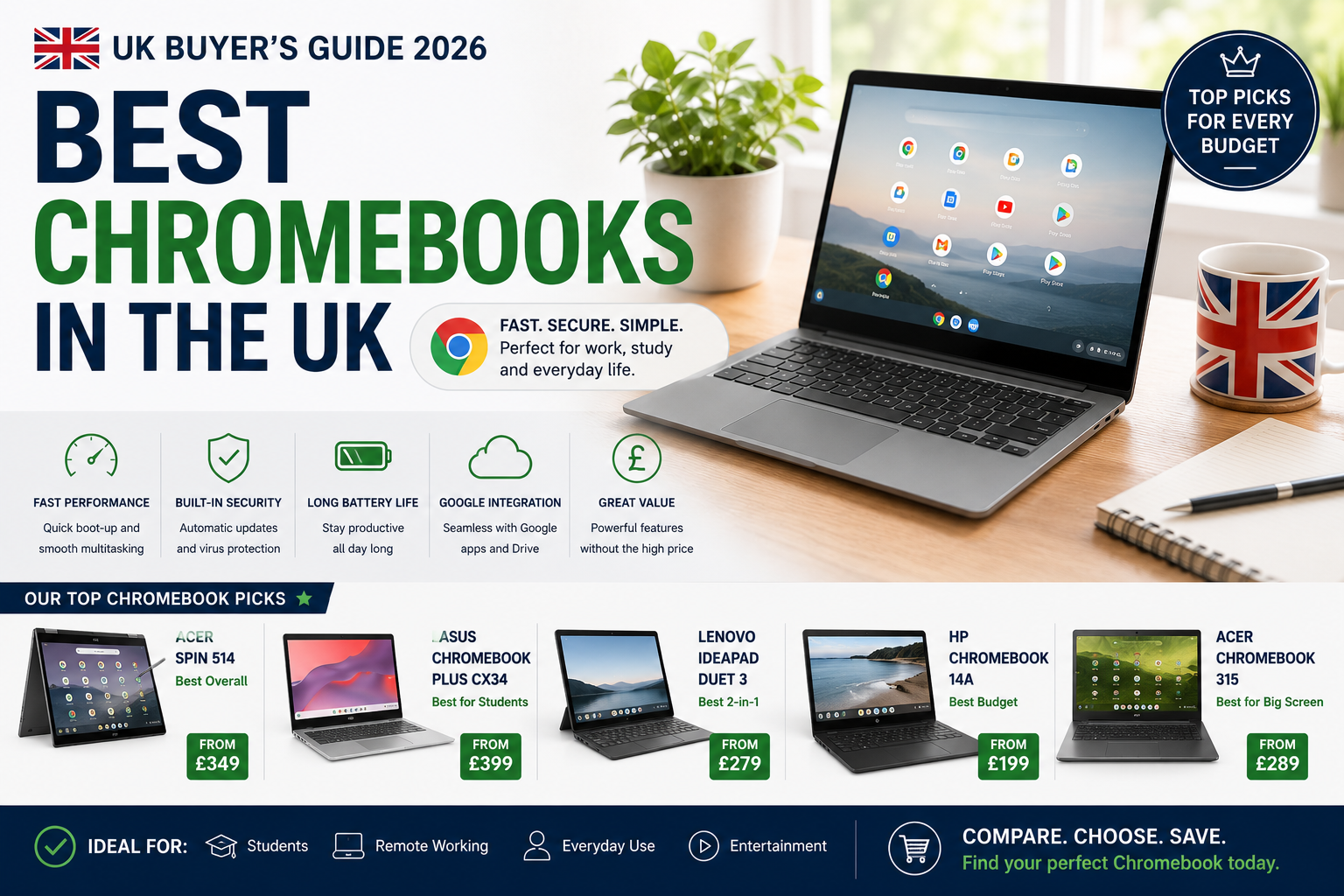
Here is the thing nobody tells you upfront: a £250 Chromebook will handle 90% of what a £800 one does. The expensive version just does it on a prettier screen with a chassis that feels like it was carved from a single piece of metal. Once you accept that, choosing the right machine from the best Chromebooks UK market currently offers gets a lot simpler.
Chromebooks run Chrome OS, which means they are built around the browser rather than bolted onto it as an afterthought. Boot times sit around 8–10 seconds. Security updates happen silently in the background without interrupting you at 2am. Everything syncs to your Google account automatically, so if you spill tea on your laptop (and statistically, you will), you lose the hardware but nothing else. Whether you are a student carrying it between lectures, a remote worker grinding through video calls, or someone who just wants to stream without Windows slowing everything down, there is a Chromebook that fits.
Why Bother with Chrome OS?
Speed is the first thing you notice. I switched from a mid-range Windows laptop a couple of years back, and the first time I opened a Chromebook at a coffee shop and was actually using it before I had even got comfortable in my seat, I genuinely laughed. No spinner. No update nag. No antivirus doing something mysterious in the background that halves your battery life.
Battery life is the second thing. Most modern Chromebooks genuinely reach 10–12 hours of real-world use, which means getting through a full university day or work shift without hunting for a socket. They are also light — your shoulder will notice the difference if you commute or move between rooms constantly. And because Chrome OS handles security automatically, you are not paying for antivirus subscriptions on top of the purchase price.
What about offline use? Better than people assume. Google Docs, Sheets, and Slides all work offline. Netflix has an Android app with download support. Gmail has an offline mode. Actually, that is not quite right to call it a limitation anymore — it is more of a mild inconvenience for a narrow set of tasks.
Under £300: Where Chromebooks Make the Most Sense
This is where Chromebooks genuinely embarrass the competition.
Windows laptops under £300 tend to be slow, plasticky, and running a bloated operating system on hardware that was never really meant to run it. A Chromebook at the same price point runs a leaner OS on the same hardware and feels noticeably snappier as a result. You are typically looking at 11–14 inch screens, Intel Celeron or MediaTek processors, 4–8GB of RAM, and 32–64GB of storage — more than enough for browsing, streaming, writing, and video calling, which covers what most people actually do on a laptop most of the time.

Best entry-level Chromebook under £300 for students and casual users
Samsung, Galaxy Chromebook Go Wi-Fi Laptop (11.6-inch £169 (43% OFF — was £299)

Mid-sized budget Chromebook offering good screen space without breaking the bank
Asus, C434 FHD 2-in-1 Chromebook Intel m3-8100Y £249.99 (24% OFF — was £329.99)

Budget Chromebook with touchscreen display for interactive use
Build quality at this price tends toward matte plastic rather than aluminium, and you are unlikely to get fancy extras like a 2-in-1 hinge or a Full HD screen. Fine. Students especially tend to do well here because the price is low enough that a cracked screen or a dead keyboard does not feel like a catastrophe — it feels like a replacement decision rather than a crisis.
The £300–£600 Range: Actually the Sweet Spot
Step up to mid-range and build quality, screen resolution, and processor headroom all improve noticeably at once. Intel Core i3 chips or equivalent, 8GB of RAM as standard, Full HD displays, and chassis that flex less under pressure. Keyboards stop feeling like you are typing on something designed primarily to be cheap.

Mid-range Chromebook with Full HD display and decent processor for everyday tasks

Versatile mid-range Chromebook with convertible design and touchscreen capability
Lenovo, IdeaPad Flex 3 11.6″ 2-in-1 Touchscreen Chromebook £249
This is also where 2-in-1 designs start appearing more regularly — hinges that fold flat so you can use the screen as a tablet, or prop it in tent mode for video calls without needing a stand. Touchscreens become common here too. Battery life holds steady at 10–12 hours. If you are a student who wants a machine that survives a full degree without feeling outdated by second year, or a professional who lives in Google Meet and Docs all day, this bracket is where most people should be looking.
Spending Over £600? Read This First.
Premium Chromebooks are genuinely impressive objects. Intel Core i5 or i7 chips, 16GB of RAM, OLED or high-refresh displays, magnesium alloy chassis, trackpads that feel more expensive than some whole budget laptops. They are fast, beautiful, and built to last.

Premium Chromebook with powerful processor and high-end build for demanding professionals

Top-tier Chromebook with OLED or 4K display for creative professionals
The caveat worth saying plainly: at this price you are competing with the MacBook Air. If you are someone who occasionally needs to run desktop software, edit video in a traditional application, or work in an environment that requires Windows-only tools, a MacBook Air at a similar price gives you more flexibility. Premium Chromebooks make sense for people who have fully committed to browser-based and cloud workflows and want the nicest possible hardware to run them on — designers working in Figma, analysts who live in Google Sheets, developers running Linux apps through Chrome OS’s built-in Linux environment.
What Actually Matters When You’re Choosing
Screen size first. Eleven inches is fine for occasional use but genuinely tiring over long sessions. Fifteen inches is large enough that you will notice the weight every single day. Most people land at 13–14 inches and stop thinking about it.
On processor: Celeron or MediaTek handles browsing and streaming fine. Intel Core i3 or i5 handles multitasking, video calls, and heavier Google Docs work without breaking a sweat. The jump from i3 to i5 is real but modest for typical use. Nobody doing normal Chromebook things needs an i7.
RAM matters more than storage on a Chromebook, because storage mostly lives in the cloud anyway. Four gigabytes works. Eight gigabytes is comfortable, especially if you keep a lot of tabs open simultaneously — and if you are anything like me, you absolutely do. Thirty-two gigabytes of local storage is enough for most people; go for 64GB if you like keeping files available offline, but do not stress about it.
One thing people consistently overlook: check the Auto Update Expiry date before buying. Google guarantees Chrome OS updates for each model until a specific year, and older or refurbished stock can have AUE dates that are closer than you would expect. A Chromebook that stops getting security updates in 18 months is not a great purchase regardless of how cheap it is.
Do you actually need a touchscreen? Probably not, but it is nice. Do you need 2-in-1 hinge flexibility? Only if you have a specific reason, because it adds weight and a small amount of mechanical complexity. Do you need more than one USB-C port? Yes, realistically — one for charging, one for everything else.
The Bottom Line
Most people buying a Chromebook in the UK right now should spend between £200 and £400, get 8GB of RAM, check the AUE date, and stop overthinking it. Chrome OS rewards simplicity: the less you need from it, the better it feels. The best Chromebooks UK buyers keep recommending are not the most expensive ones — they are the ones where the price, the use case, and the operating system all line up correctly from the start.
Hey savvy shoppers! When the items in our articles catch your eye and you decide to buy through our links, we may earn a small commission at no extra cost to you. Think of it as a way of supporting us in bringing you the best content!
Frequently Asked Questions
Are Chromebooks worth buying in the UK in 2026?
Yes, for most everyday users. If your life runs through a browser — email, streaming, video calls, Google Docs — a Chromebook will do everything you need for significantly less than a Windows laptop or MacBook. The main limitation is offline software: you cannot install Photoshop or Microsoft Office desktop apps. But for the majority of people, that never comes up.
How long do Chromebooks last before they stop getting updates?
Google assigns each Chromebook model an Auto Update Expiry (AUE) date, after which it stops receiving Chrome OS updates. Most newer models get 8–10 years of support from launch. Always check the AUE date before buying — especially on refurbished or older stock — to make sure you’re not purchasing a machine that expires in two years.
Can you use Microsoft Office on a Chromebook?
Sort of. You can run the Android versions of Word, Excel, and PowerPoint through the Google Play Store, and they work reasonably well for basic tasks. For anything more complex, Microsoft 365 in the browser is actually the better option. It is nearly identical to the desktop version and requires no installation.
What is a good amount of RAM for a Chromebook in 2026?
8GB is the sweet spot. Chrome OS is efficient enough that 4GB technically works, but if you keep more than a handful of browser tabs open — or use Google Meet for video calls — you will notice the difference. 16GB is only worth it if you plan to run Linux apps or push the machine hard for several years.
Do Chromebooks work without internet in the UK?
Better than most people expect. Google Docs, Sheets, and Slides all have offline modes. You can download Netflix content for offline viewing via the Android app. Gmail has an offline mode too. The honest answer is that Chromebooks are designed around connectivity, but they are not helpless without it — just less capable than when online.


 No products in the cart.