

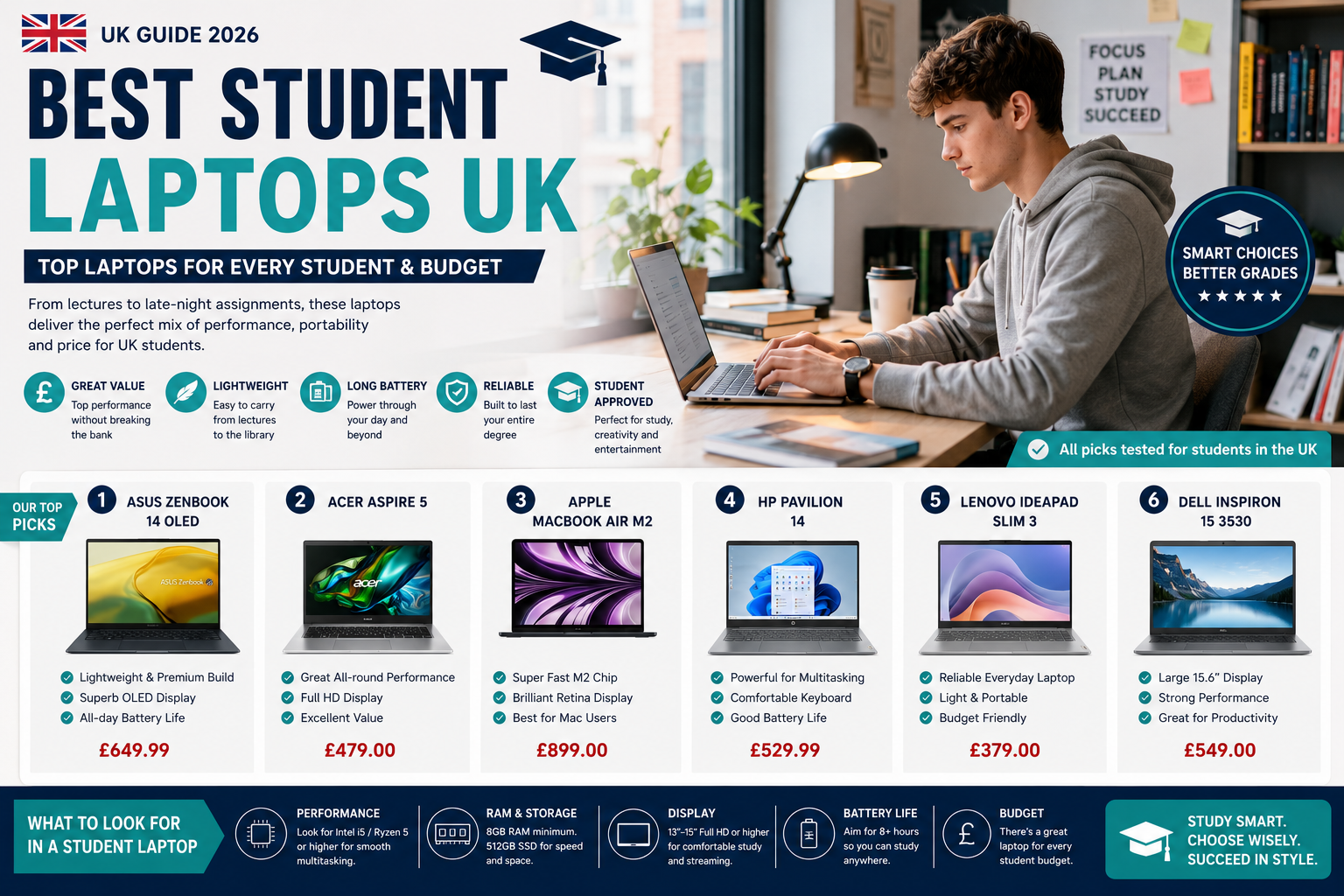
Here is the thing nobody tells you when you’re picking a student laptop: the wrong choice doesn’t just cost you money — it costs you time, and time is the one thing you never have enough of at university. I nearly bought a sleek ultrabook in my first year purely because it looked good, then found out my engineering software needed Windows and a half-decent GPU. That would have been a £700 mistake.
Student laptops in 2026 are genuinely better than they were two years ago — lighter, longer-lasting, and cheaper at every price point. But better options also mean more ways to get it wrong if you’re not thinking about your specific course and how you actually work.
What actually matters in a student laptop
Battery life is non-negotiable. Full stop.
You need at least 8–10 hours to get through a full day of lectures, a library session, and whatever you’re doing at 11pm in the kitchen. Anything less and you’re hunting for a plug socket by mid-afternoon, which gets old fast. Weight is the second thing most people underestimate — carrying a 2kg machine between halls, the library, and three different lecture theatres adds up quickly, and a 1.3kg laptop feels like a completely different object by the end of the week. Processing power depends almost entirely on your course: humanities students genuinely don’t need anything powerful, while anyone doing coding, video work, or design should prioritise CPU and RAM above everything else, even screen size.
On screen size: 13–14 inches is the sweet spot for portability. Storage should be 256GB at minimum, though 512GB is worth the extra if you work with large files. RAM? 8GB is the floor. 16GB is where you want to be if you can afford it, especially if you’re the type to have 40 browser tabs open during a research session (no judgement — we’ve all been there).
And keyboard comfort. Seriously. You’ll type tens of thousands of words on this thing and most people never even think to test it before buying.
Top picks for university students
These are the machines that handle everything your course throws at you — research papers, group projects, the occasional Netflix break between essays.

Premium mid-range student laptop with solid performance for most university courses

Lightweight student laptop for daily campus commute and all-day battery life
Apple, MacBook Pro 14.2-inch Laptop with M5 Chip £1945 (3% OFF — was £1999)

Larger screen student laptop for comfortable studying and design work
Budget picks that won’t embarrass you
You don’t need to spend £800 to get a reliable student laptop — and anyone who tells you otherwise is probably trying to sell you something. These options handle coursework, note-taking, and research without the financial guilt, and they’re solid enough that you won’t be replacing them after year one.

Affordable student laptop under £400 for essays and coursework
HP, 255 G10 15.6″ Laptop Ryzen 5 8GB RAM 256GB SSD FHD Windows 11 Pro £474.99 (5% OFF — was £499.99)

Budget-friendly entry-level student laptop for basic coursework
Samsung, Galaxy Chromebook Go Wi-Fi Laptop (11.6-inch £169 (43% OFF — was £299)

Good-value student laptop that balances price and performance
Chromebook or Windows — does it actually matter?
For a lot of students, Chromebooks are completely fine and the Windows loyalty is just habit. They boot in seconds, they don’t slow down with bloatware over time, and they’re genuinely secure in a way that most cheap Windows laptops aren’t. You can pick up a solid Chromebook for £250–£400, whereas a decent Windows machine starts closer to £400–£450. The Samsung Galaxy Chromebook Go at £169 (down from £299) is a genuinely good shout if your course runs on Google Workspace or browser-based tools.
Actually, that’s not quite right — it’s not just about the apps. The bigger issue is offline access. Chromebooks work best when you’re connected, and if you’re somewhere with patchy Wi-Fi and a deadline looming, that matters.
Windows laptops give you flexibility that Chromebooks can’t match: install whatever software your department requires, work completely offline, and handle heavier tasks like video rendering or running local development environments without jumping through hoops. Most workplaces run Windows too, so there’s a reasonable argument for getting comfortable with it now rather than making an adjustment after graduation. The trade-offs are real though — more expensive, heavier, and prone to that particular joy of a 45-minute update installing itself right before a 9am seminar.

Chromebook for students who work primarily in Google Workspace and cloud apps
Asus, C434 FHD 2-in-1 Chromebook Intel m3-8100Y £249.99 (24% OFF — was £329.99)

Budget Chromebook with excellent battery life for all-day campus use
Where to find the deals worth having
Black Friday gets all the attention but back-to-university sales in August and September are genuinely underrated — retailers discount hard to catch freshers before term starts, and stock is still plentiful. End-of-financial-year sales in March are worth watching too, especially for business-grade laptops that trickle down to consumer retailers.
Stack your savings properly: cashback sites like TopCashback or Quidco on top of a Student Beans or UNiDAYS code at Currys or John Lewis can get you 15–20% off without waiting for a sale event. Some universities have purchasing partnerships with Dell or Lenovo that beat any public pricing you’ll find — worth checking your student portal before you buy anywhere else.
One honest piece of advice? Don’t wait forever for a perfect deal that may never come. If a laptop fits your needs at a price you can manage right now, buy it. The productivity you lose while waiting usually costs more than whatever you’d save.
The actual answer depends on your course
Your student laptop will be with you through all-nighters, dissertation sprints, and at least one accidental coffee incident — so the fit has to be right for how you specifically work, not how a spec sheet says you should work. Commuting daily? Weight and battery life matter more than anything else. Doing creative or technical work? Screen quality and processing power move up the priority list. Writing essays and taking notes for three years? A budget Chromebook might genuinely be all you need, and spending £800 instead would just be money lost.
The MacBook Pro M5 at nearly £2,000 is a brilliant machine, but I’d only recommend it if your course actively benefits from the performance — creative arts, music production, high-end video work. For everyone else, the Samsung Galaxy Book4 at £499.99 (currently 47% off its original price) hits a sweet spot that most students never need to go beyond.
Buy for what you actually do, not what sounds impressive.
Hey savvy shoppers! When the items in our articles catch your eye and you decide to buy through our links, we may earn a small commission at no extra cost to you. Think of it as a way of supporting us in bringing you the best content!
Frequently Asked Questions
How much should I spend on a student laptop in the UK?
For most courses, £300–£600 gets you a solid machine. Humanities students can get away with less — a £169 Chromebook handles essays and research fine. Engineering, design, or media students should budget £600–£900 for the processing power and storage they’ll actually need.
Is a Chromebook good enough for university?
For a lot of students, yes. If your work lives in Google Docs, Microsoft 365 online, or browser-based tools, a Chromebook is fast, light, and harder to break (software-wise) than a Windows machine. The problem comes if your course requires specialist software like AutoCAD, MATLAB, or Adobe Creative Suite — none of those run on ChromeOS.
What specs do I need in a student laptop?
At minimum: 8GB RAM, 256GB SSD storage, and a battery that lasts 8+ hours. For most coursework, a mid-range Intel Core i5 or AMD Ryzen 5 processor is more than enough. If you’re doing video editing or 3D work, push for 16GB RAM and a dedicated GPU if your budget allows.
When is the best time to buy a student laptop in the UK?
Back-to-university sales in August and September are underrated — retailers discount heavily to catch freshers before term starts. Black Friday is good too, but everyone knows about it, so stock of popular models runs out fast. Check UNiDAYS and Student Beans year-round for 10–15% off at Currys and John Lewis.
Is a MacBook worth the price for a student?
If you’re studying creative subjects or already deep in the Apple ecosystem, probably yes — the battery life is genuinely class-leading and the build quality means it’ll survive three years of student life. For everyone else, a Windows machine at half the price will do the same job. The MacBook Pro M5 at £1,945 is hard to justify unless your course specifically benefits from it.



 No products in the cart.